
A fast way to assign a shortcut to any HTML element is to use the accesskey property.
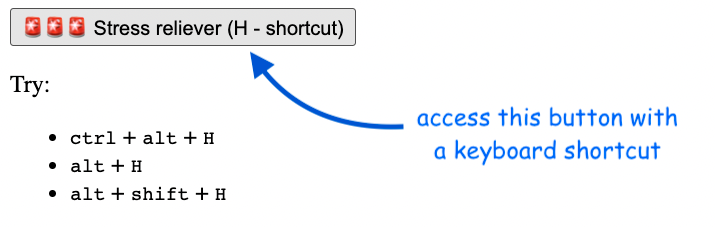
So, let’s say we have the following HTML code:
<button accesskey="h"
    onclick="alert('You clicked the 🚨 button!')">
    🚨🚨🚨 Stress reliever (H - shortcut)
</button>
To access the element we can use Alt + Shift + H in Chrome and Firefox on Windows, or use Control + Alt + H on Mac.
We can use any type of HTML element, not just buttons.
You can read more about the accesskey property here.
Keep in mind that using accesskey can introduce some accessibility problems like:
- the shortcuts can conflict with the browser’s default shortcuts
- for international keyboards, some access keys may not be present on all types of keyboards
So be sure to let the user know about keyboard shortcuts on the page to avoid any unexpected behavior.
You can check out here the full code, and see the live example here.
📖 Neural Networks from Scratch - Presale
I'm writing a book about the timeless foundational concepts of neural networks for JavaScript developers. Go from if-else to weights and biases by building tiny AI models from scratch!
📖 Neural Networks from Scratch - Presale
I'm writing a book about the timeless foundational concepts of neural networks for JavaScript developers. Go from if-else to weights and biases by building tiny AI models from scratch!