
There are two sides to the story of updating nested state objects in React.
The short answer
The easiest way to update a nested object stored in the React state is to create a shallow copy and use the spread operator.
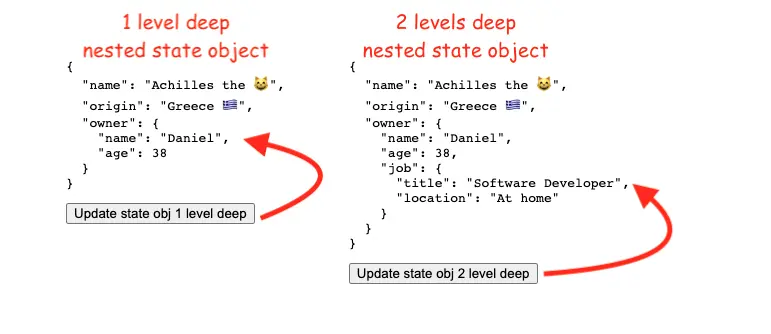
Updating a 1-level deep object
Let's say we have the below object in a React state variable:
const [cat, setCat] = useState({
    name:'Achilles the 😸',
    origin: 'Greece 🇬🇷',
    owner: {
        name: "Daniel",
        age: 38
    }
})
To update a 1-level deep property, eq owner.name, we can do:
setCat(prevCat => ({
    ...prevCat,
    owner: {
        ...prevCat.owner,
        name: "Daniel the owner of Achilles"
    }
}))
Updating a 2-levels deep object
If we have a more complex nested object, like the one below:
const [cat, setCat] = useState({
    name:'Achilles the 😸',
    origin: 'Greece 🇬🇷',
    owner: {
        name: "Daniel",
        age: 38,
        job: {
            title: "Software Developer",
            location: "At home"
        }
    }
})
We can use the same approach, but the mind the extra deep of the state object:
setCat(prevCat => ({
    ...prevCat,
    owner: {
        ...prevCat.owner,
        job : {
            ...prevCat.owner.job,
            title: 'Cat slave'
        }
    }
}))
I've made this example on Github. And you can see it live here.
For 3 nesting levels and above keep in mind to spread each level of the nested object.
The long answer
The long answer is ... don't use setState() to update nested objects!
The nested state is a wrong design pattern, given that React embraces the concept of state immutability.
We can try to flatten the state. For example:
// before
const [cat, setCat] = useState({
    name:'Achilles the 😸',
    owner: {
        name: "Daniel",
    }
})

// after
const [cat, setCat] = useState({
    name:'Achilles the 😸',
    ownerName: "Daniel"
})
You can flatten your state by hand or use a third-party library similar to Normalirz.
Another solution is to use immutable helpers such as immutability-helper or immer.
📖 50 Javascript, React and NextJs Projects
Learn by doing with this FREE ebook! Not sure what to build? Dive in with 50 projects with project briefs and wireframes! Choose from 8 project categories and get started right away.
📖 50 Javascript, React and NextJs Projects
Learn by doing with this FREE ebook! Not sure what to build? Dive in with 50 projects with project briefs and wireframes! Choose from 8 project categories and get started right away.