
A few days ago I've had to help a friend with some CSS troubleshooting on a web app that was aimed for the Samsung Galaxy Fold. Discovered that debugging the fold screens view with Chrome's developer tools was a bit tricky.
At the first glance, there isn't any Galaxy Fold (or Surface Duo) device in the developer tools responsive view. But actually, there is one hidden in the experimental features.
It is called Dual Screen Mode and in order to activate it, we need to go in the Experiments tab and check Support dual-screen mode.
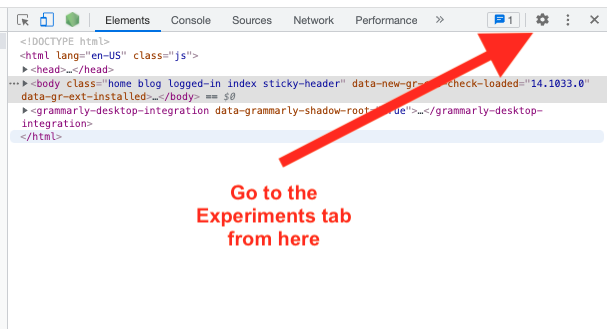
After this, be sure to close and open again the dev tools. Now when opening the responsive view you should be able to select dual or folded screen devices.
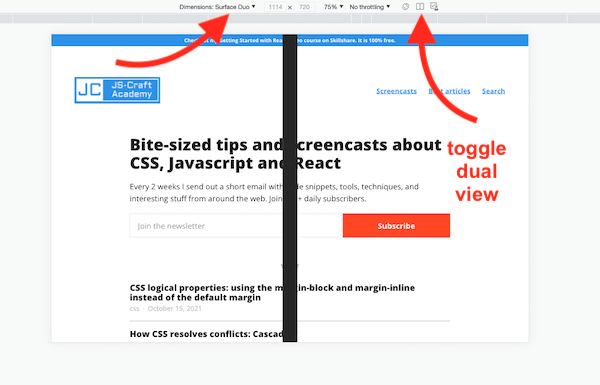
In order to toggle on-off the split view, you can click the icon looking like an opened book in the top bar of the view. Happy designing!
📖 50 Javascript, React and NextJs Projects
Learn by doing with this FREE ebook! Not sure what to build? Dive in with 50 projects with project briefs and wireframes! Choose from 8 project categories and get started right away.
📖 50 Javascript, React and NextJs Projects
Learn by doing with this FREE ebook! Not sure what to build? Dive in with 50 projects with project briefs and wireframes! Choose from 8 project categories and get started right away.