
Let’s see how we can write a CSS selector that targets all elements between two classes.
Take the below example:
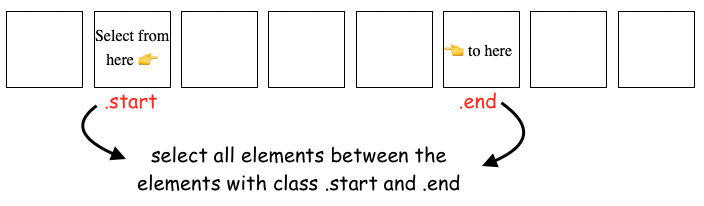
We want to add a background color to all the elements between the .start and .end classes.
Below is the CSS selector that does this:
/* Select all  the elements between
the .start and .end classes */
.start ~ :not(.end,.end ~ *) {
    background-color: orangered;
}
And this is the result:
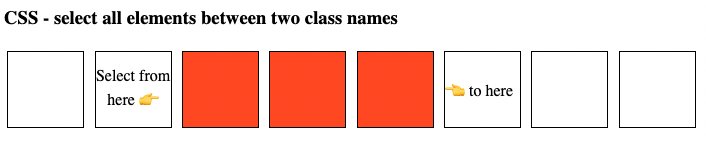
The way how this selector work is by selecting all sibling elements that come after an element with a class of .start but do not have a class of .end or any element that comes after an element with a class of .end.
As usual, you can check out the full code on Github and see the live example here.
Happy CSS styling, folks!
📖 Neural Networks from Scratch - Presale
I'm writing a book about the timeless foundational concepts of neural networks for JavaScript developers. Go from if-else to weights and biases by building tiny AI models from scratch!
📖 Neural Networks from Scratch - Presale
I'm writing a book about the timeless foundational concepts of neural networks for JavaScript developers. Go from if-else to weights and biases by building tiny AI models from scratch!